TV Watch, and then AniMeteo
I recently found out about the Seiko TV Watch. It’s great, it’s magic, it’s that perfect fusion of two worlds that shouldn’t be able to be together, not in 1982. It’s the solution for a problem that nobody has ever had.
And nowadays my smartwatch (that I started wearing to become always reachable for anything related to my children) is so powerful that I’m afraid it could emulate a ps2, so watching TV would be incredibly easy for it.
But Apple, in its infinite wisdom, has set limits to what a widget can do, and streaming videos directly below the current time and date is outside those limits.
Well then, is there a way around those limits?
YES! Well, almost. I knew that the system could keep updating timer text even when the widget extension wasn’t running. And you know what is completely crazy? Fonts.
So I thought: what if I built a custom font that rendered a video? A timer value such as 12:07:34 could become a frame, then 12:07:35 would be the following frame: a video with 1 fps is still a video!
The video DID in fact appear, rendering at a glorious 1fps in grayscale, and at a really, really crappy resolution. But if bundled fonts worked, dynamically imported fonts built from a video did not, in the setup I tested (apparently, it’s a known bug of watchOS?).
But wait! There might be a better way
You can convert a video into a list of frames and stack them on top of one another, each with its own mask. A fixed font turns the timer text into either a solid rectangle or an empty glyph, revealing each frame in turn. And without needing to change the font!
And it works too! I could choose a video from my library, convert it and upload it to my watch! Using two timers and staggering them by half a second also lets me target 2 fps, though watchOS still decides when to redraw.
Turns out this trick already had a history: Bryce Bostwick’s WidgetAnimation uses timers and custom fonts to animate iPhone widgets, including staggered timers for more than 1 fps. His video, Apple’s Widget Backdoor, explains it, and an Apple engineer suggested the timer-and-font approach on the developer forums back in 2023.
While implementing this I just tried a few solutions until I found the two I used, without consciously knowing about this work, but to be honest it is very likely that I read about it when it came out, forgot about most of it but still remembered about the timer being refreshed and about the staggering technique, and that’s why it was easy to solve.
But wait! This could actually be useful
The frames didn’t have to come from a video: they could show the weather instead.
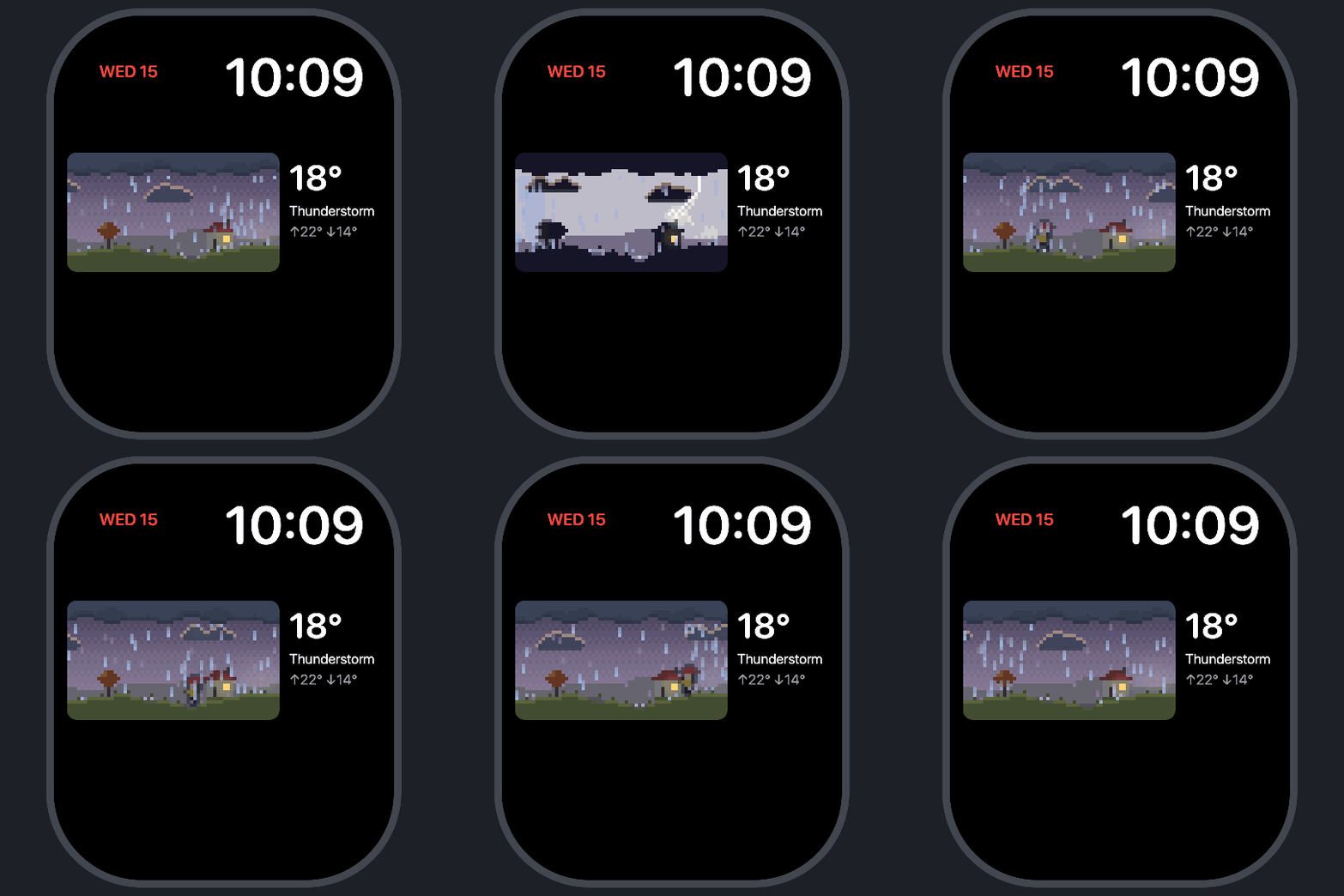
So I built AniMeteo: same trick, but now the little pixel-art landscape below the current date and time follows the weather where you are. Clouds move, rain falls, the wind blows, lightning splits the sky, etc. You can choose the countryside, the city, the seaside, or the mountains, depending on what you like the most, or where you are.
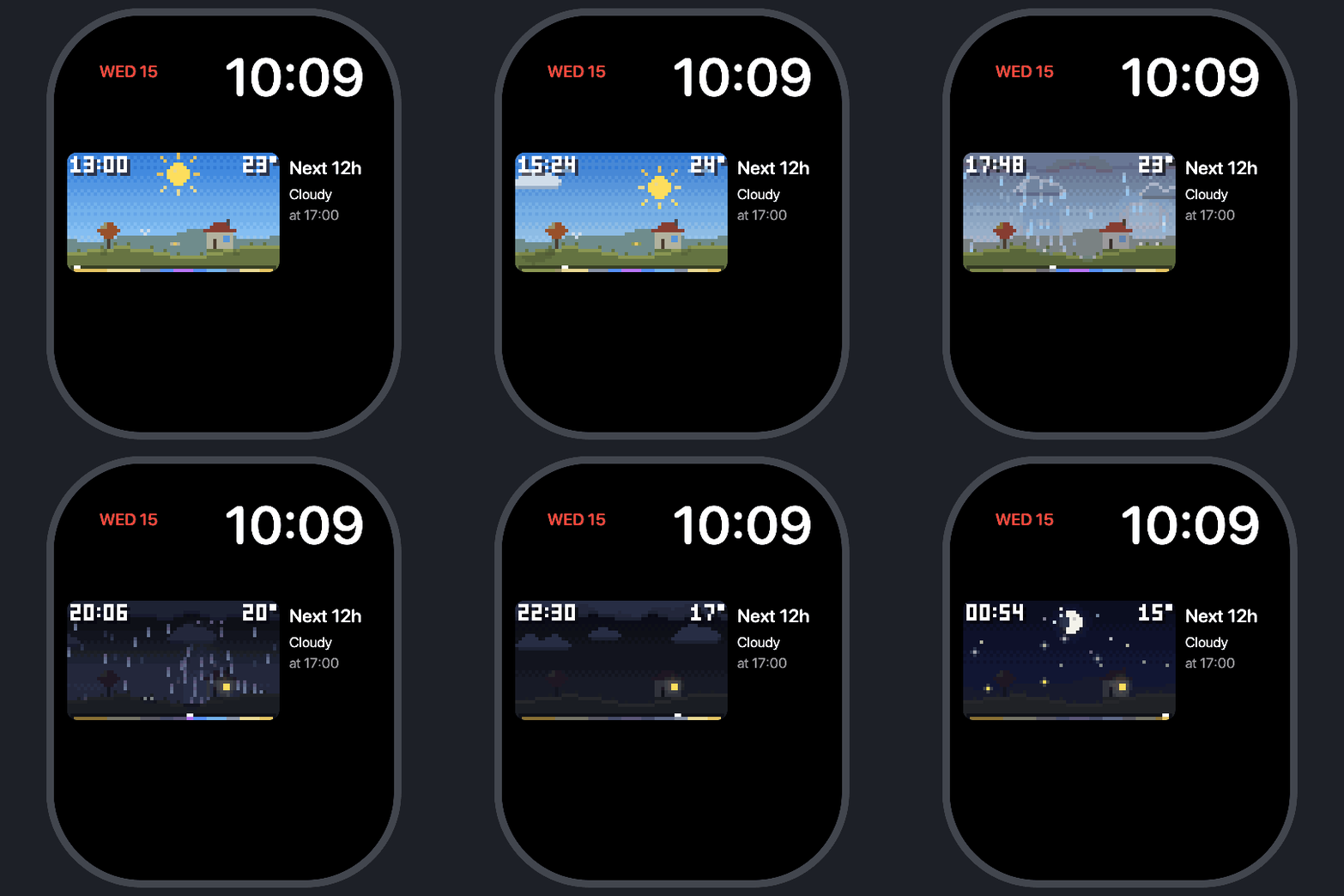
And you can watch the next 12 hours go by in a timelapse: the sun sets, the lights come on, the sky changes according to the forecast, all in a few seconds. Each frame shows its time and temperature, so you can see when that nice sunny afternoon is expected to become a rainy evening.
All data comes from Apple’s WeatherKit, and your approximate location only goes to Apple, to get the forecast. Hell, it doesn’t even have an iPhone app, only an Apple Watch one!
I’ve somehow gone from wanting a TV on my watch to building another weather app. I still also built the TV Watch one, but the weather one I actually use!
In conclusion, I’m old
I miss the days when I could feel excited for solving a problem, usually that I made up for the sake of solving it, using some elegant solution with code.
But on the upside, this is a project that I would have never, never built up to this point without using an agent, since I have almost zero experience with smartwatch apps, I barely have some experience with mobile apps. And now it’s two apps.
If you want to try the useful one, here’s AniMeteo (App Store). If you prefer the useless one, here’s TV Watch (App Store). And if you want to build it yourself, TV Watch has a GitHub repo.